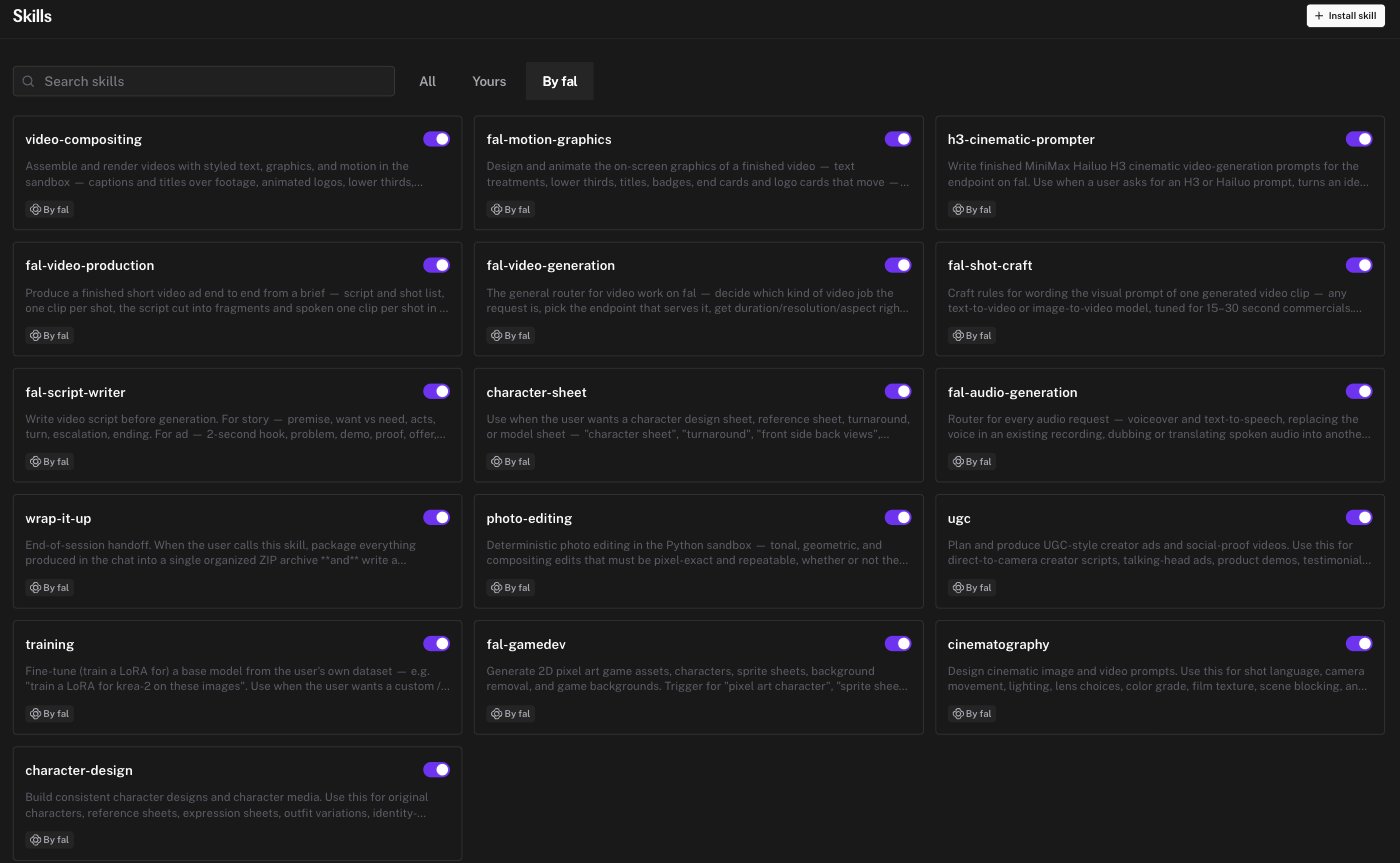
| fal-video-generation | The general router for video work. Make a clip from a description, animate a still, interpolate between two frames, restyle footage, extend or upscale a clip, reframe it, or add sound |
| fal-video-production | A finished short video ad from a brief. Script, shot list, one clip per shot, a pinned voice, a ducked music bed, and burned-in text, with a clip review before audio is paid for |
| fal-script-writer | A timed script and shot table before generation. Story beats or ad structure, duration and voiceover limits per shot, and continuity notes |
| fal-shot-craft | Wording the visual prompt of one video clip. Framing, camera, one settled state per clip, and specific gesture over named emotion |
| fal-motion-graphics | Animated on-screen graphics for a finished video. Titles, lower thirds, badges, end cards, and logo cards with entrance and exit motion |
| video-compositing | Captions, titles, animated logos, kinetic type, montages, and slideshows, rendered in the sandbox |
| fal-audio-generation | The router for audio. Voiceover and text to speech, voice replacement, dubbing, sound effects, music, and transcription |
| h3-cinematic-prompter | Finished prompts for the MiniMax Hailuo H3 video model. Produces prompt text only |
| cinematography | Shot language, camera movement, lighting, lens choice, color grade, film texture, and scene blocking |
| character-design | Original characters, reference sheets, expression sheets, outfit variations, identity-preserving edits, and character-to-video |
| character-sheet | One character design sheet, turnaround, or model sheet as a single image |
| ugc | Creator-style ads and social-proof videos. Talking-head scripts, product demos, testimonials, unboxing, and short vertical formats |
| photo-editing | Pixel-exact edits in the sandbox. Background removal, exposure, crop, straighten, format conversion, and compositing. Semantic edits go to a generative model |
| fal-gamedev | 2D pixel-art characters, sprite sheets, walk cycles, background removal, and parallax or isometric backgrounds |
| wrap-it-up | End-of-session handoff. Packages everything from the chat into one ZIP with a written progress document |
| training | Fine-tune a LoRA on your own images. Available to accounts with training access |
 Documentation
 Examples
 Model API Reference
 SDK Reference
 Platform API
 Changelog