 Documentation
 Examples
 Model API Reference
 SDK Reference
 Platform API
 Changelog

https://mcp.fal.ai/mcp. Connect with a client that supports Streamable HTTP, such as Claude Code, Cursor, or Windsurf. The API-key examples below use your fal API key. The plugin and OAuth connectors use your fal sign-in.
For the API-key setup below, create a fal API key. In ChatGPT or Codex, install the fal plugin. See the plugin setup guide to connect your fal account.
Setup
- ChatGPT / Codex
- Claude Code
- Cursor
- Windsurf
- Other MCP Clients
- Open the fal plugin listing.
- Install the plugin.
- Connect your fal account when prompted.
- Start a new chat and ask your assistant to use fal.
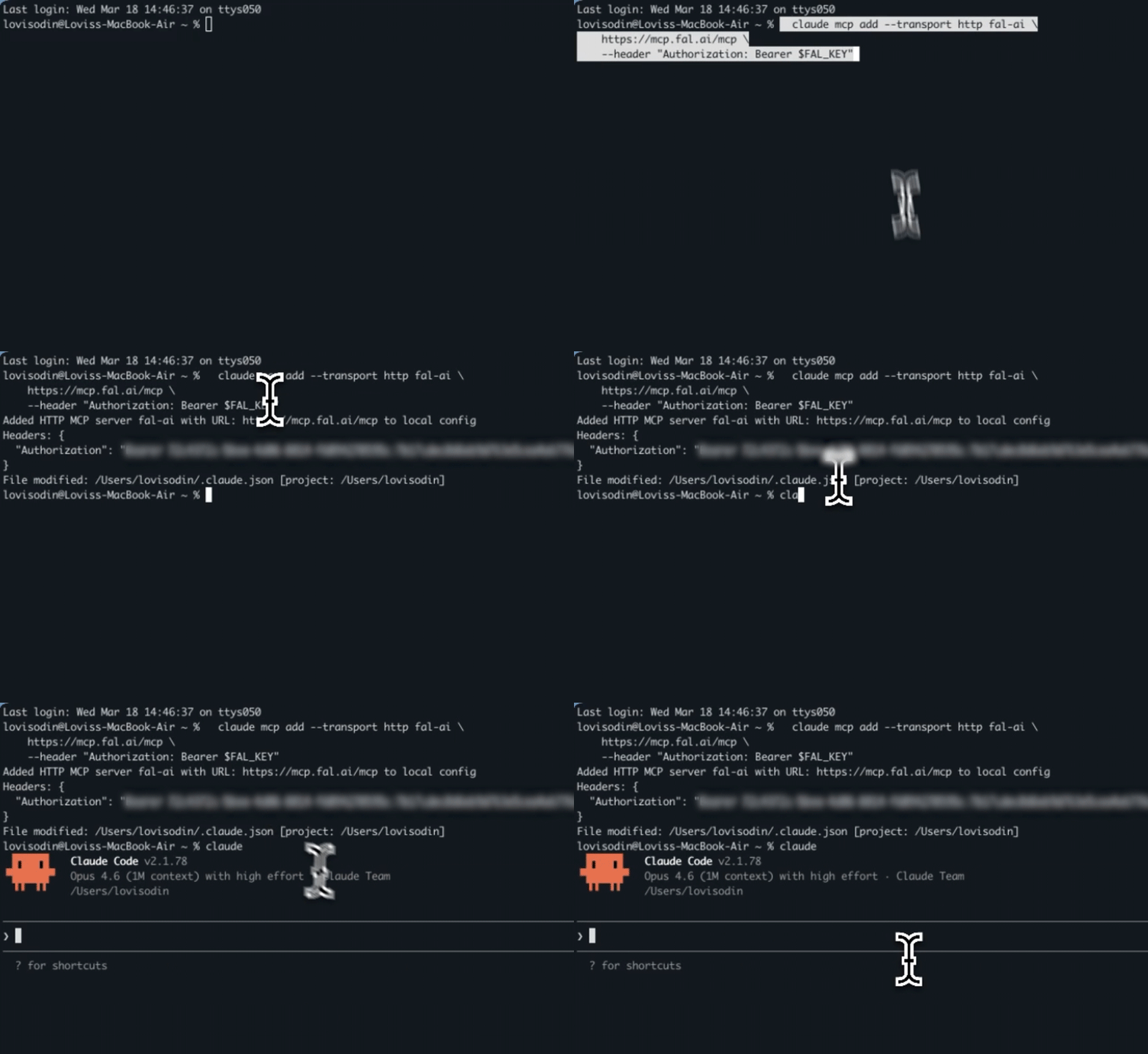
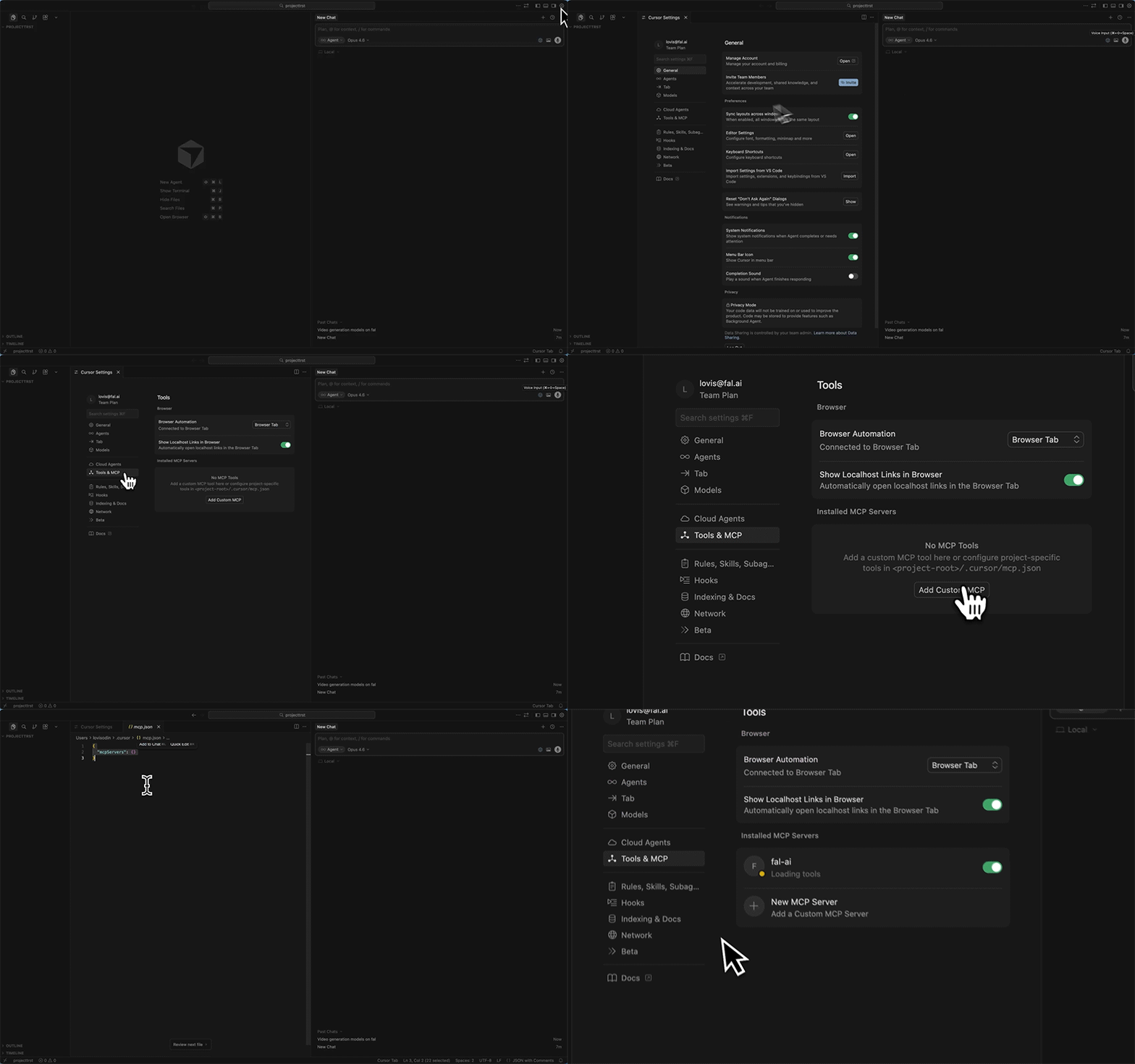
Check the connection
Ask your assistant:Use fal to search for image generation models. Do not run a model.A successful connection returns model search results. If authentication fails, check the configured API key or complete the connector’s fal sign-in.
Choose your OAuth account
OAuth connections use your personal fal account until you choose another. In Account settings, open the desired account’s row menu and choose Use for MCP. The change applies immediately to future operations across all your OAuth MCP connections, including the fal plugin in ChatGPT and Codex. No reconnect or plugin reinstall is needed. This preference is separate from the website’s account switcher. Existing jobs stay on the account that started them. MCP responses show which account was used. If access to the selected account fails, operations stop instead of using your personal credits. API-key connections keep using the account associated with their key.Available Tools
The server provides 11 tools for discovery, execution, and uploads.Discovery
Execution
Utility
Examples
Generate an image
“Generate a photorealistic image of a mountain lake at golden hour using fal”The assistant will:
- Use
recommend_modelto find a model, orsearch_modelsif you named one - Use
get_model_schemato check the parameters for the chosen model - Use
run_modelto generate the image - Return the image URL
Generate a video from an image
“Take this image and turn it into a 5-second cinematic video”The assistant will:
- Use
upload_fileto upload your image to fal’s CDN - Use
recommend_modelto find an image-to-video model - Use
submit_job(since video generation takes longer) - Use
check_jobto poll for completion, thenget_job_resultto fetch the output
Check pricing before running
“How much does it cost to generate a video with Kling 3.0?”The assistant will call
get_pricing with fal-ai/kling-video/v3/pro/image-to-video and return the per-run cost.
Find the right model
“What’s the best model for removing backgrounds from product photos?”The assistant will call
recommend_model with your task description and return a ranked list of models with tips on how to use them.
Search the docs
“How do I set up webhooks with fal?”The assistant will call
search_docs and return relevant guides and code examples from the fal documentation.
How It Works
fal hosts the MCP server. It authenticates each request with your API key or OAuth token.- Your AI assistant sends a request to
mcp.fal.ai/mcpwith your API key or OAuth token - The server calls the fal Platform API on your behalf
- Results are returned to your assistant, which formats them for you
Authorization header. The server uses the connected account’s permissions to call fal. It caches some API responses and can record usage metadata, such as tool names, model IDs, duration, and outcome. Credentials, prompts, media, and input/output payloads are not sent to its usage analytics.
Tool Reference
search_models
Search fal’s model catalog by keyword, category, or both. Parameters:
Example response:
get_model_schema
Get the full input/output schema for a specific model. Use this beforerun_model to understand what parameters are accepted.
Parameters:
run_model
Run a fal model through the queue. The server waits up to 45 seconds by default. It returnscompleted with the result or processing with a request ID and URLs to check the job.
Parameters:
Example:
For long-running models (video, 3D, training), use
submit_job → check_job → get_job_result from the start.If run_model returns processing, keep its request_id and pass its status_url to check_job. Respect poll_after_seconds when present. Once check_job returns status: "COMPLETED", call get_job_result with the returned response_url. Do not resubmit to check progress: another run_model or submit_job call creates a new billable job.submit_job
Submit a job without waiting for the result. Returns immediately with arequest_id you can use with check_job.
Parameters:
Response recipe
Bothrun_model and submit_job return a recipe object with the endpoint ID
and submitted inputs. These response excerpts show how store_payload changes
that object.
store_payload: false, recipe.input is absent and recipe.input_omitted
is true.
check_job
Check a job’s status. Useget_job_result to fetch the output or cancel_job to cancel it.
Parameters:
get_job_result
Fetch the result of a completed job. Parameters:cancel_job
Cancel a queued or running job. Parameters:upload_file
Upload a file to fal’s CDN for use as model input. Provide exactly one source, eitherurl or data.
Parameters:
Use base64 for small local files (under 1 MB). For larger inputs, provide a public file URL. Sending a local path to the hosted server will fail.
Returns a
cdn_url that you can pass to any model parameter that accepts a URL (e.g. image_url, audio_url).
get_pricing
Get the cost of running a model. Parameters:recommend_model
Describe what you want to create and get model recommendations ranked by popularity. Parameters:search_docs
Search the fal documentation for guides, API references, and code examples. Parameters:FAQ
- My credits are on a team account
- What models can I use?
- Is my API key stored?
- Does it cost extra?
- What about rate limits?
In Account settings, open your team’s row menu and choose Use for MCP. Switching accounts on the website alone does not change your OAuth MCP account. For API-key connections, use a key belonging to the team.